Skip to content
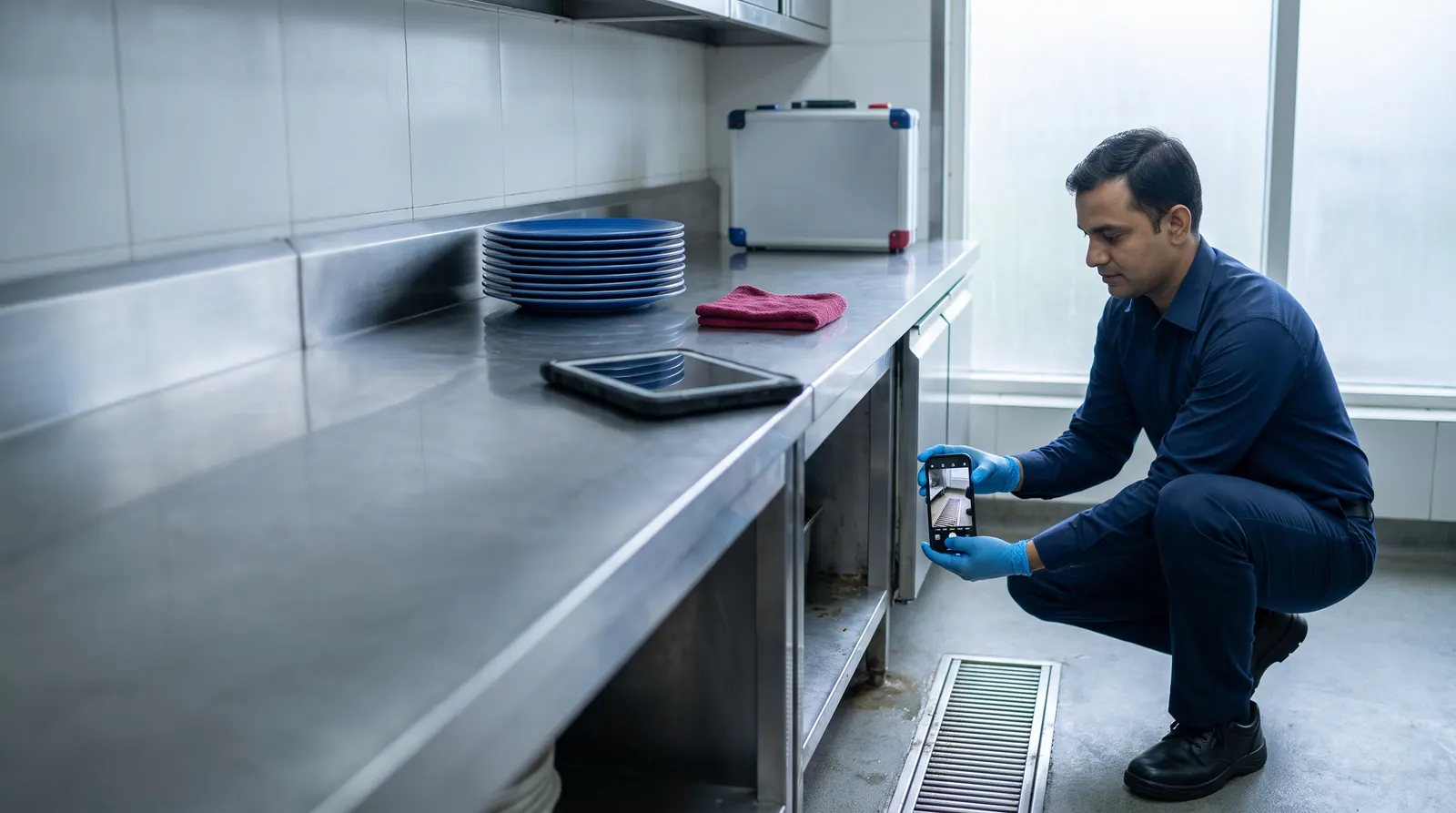
Technician photographing a kitchen floor drain with a smartphone during an inspection

Traditional Pest Control Meets Artificial Intelligence

Introducing PestVision AI

Smarter Pest Inspections. Clearer Evidence. Better Pest Management Decisions.

Efficacy Pest Control brings professional field experience together with modern artificial intelligence. Our PestVision AI technology is designed to support pest identification from inspection photos and videos, help document important findings, and make professional pest management more transparent.

Illustrative image

Efficacy Pest Control

Our professional pest management company, with an established branch in Goa and a newly opened office in Shamshabad for the Hyderabad region.

PestVision AI

Our own digital platform for pest identification support, inspection analysis and reporting — built around photo and video evidence.

AI SHIELD™

The name we use publicly for pest protection supported by our AI-assisted inspection approach.

Why it matters

A Better Way to Understand Pest Problems

Every building is different, and every pest problem needs careful inspection. PestVision AI helps our experts examine digital evidence, document observations and identify areas that need attention. By combining smart technology with professional experience, we aim to make pest inspections more consistent, easier to review and more useful for property owners and facility managers.

  • Findings are tied to photos and videos, not memory
  • Observations are recorded room by room and area by area
  • A trained person checks what the AI suggests
  • Reports make the next steps clear to everyone involved
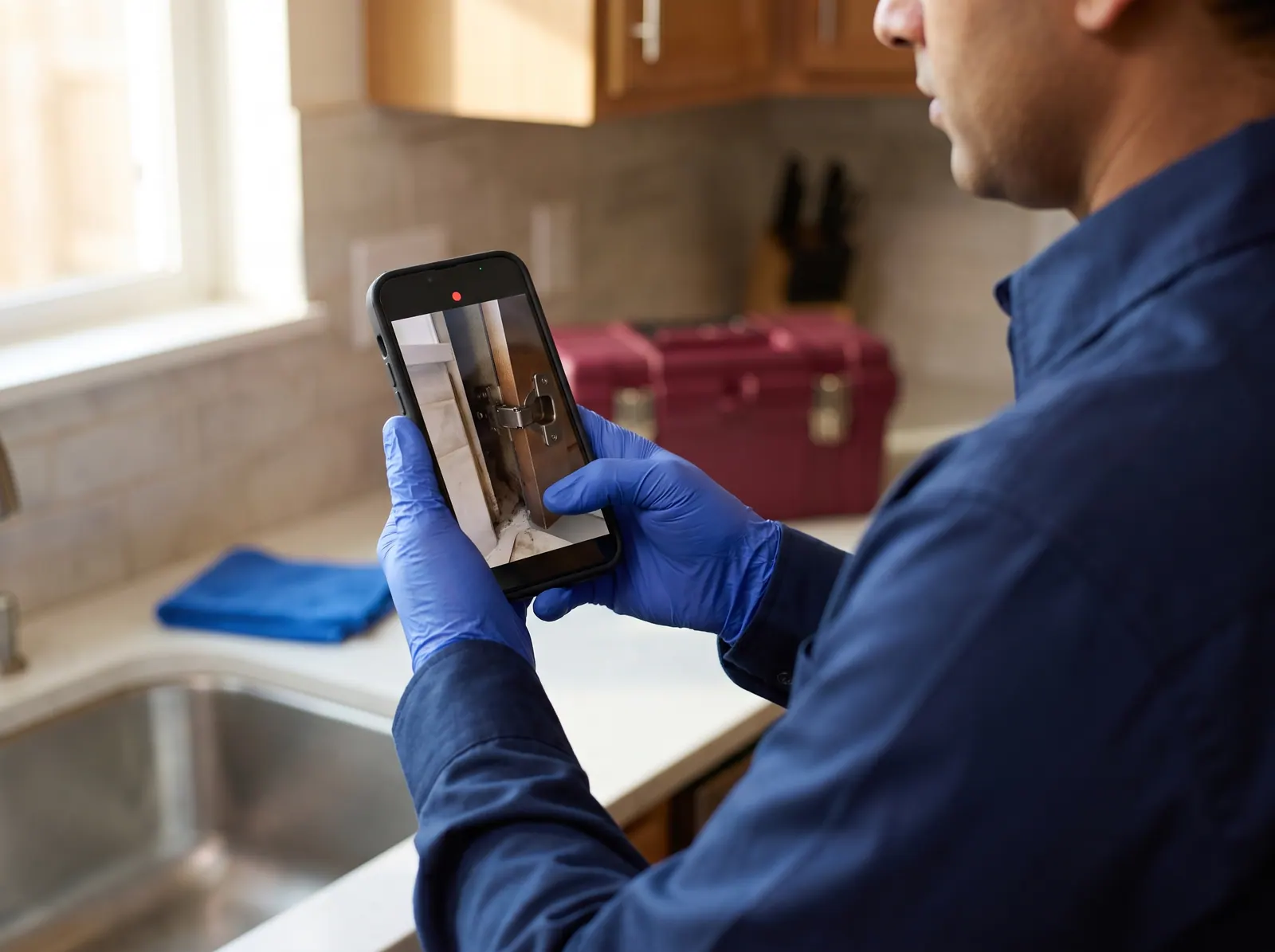
Gloved hands recording inspection video of a cabinet gap on a smartphone
Illustrative image

How PestVision works

From a property visit to a verified report

Seven steps, in plain English. AI helps with the evidence; trained people make the decisions.

  1. 1

    Inspect the property

    A trained technician walks the property and looks in the places pests hide, just as in any professional inspection.

  2. 2

    Capture photo and video evidence

    The technician records photos and videos on a phone or tablet and uploads them to that visit’s inspection record.

  3. 3

    Prepare the video

    Each video is scanned from start to finish. Up to 96 useful frames are kept for review, each with its time in the video.

  4. 4

    AI analysis

    An AI vision model looks for pests, indirect signs such as droppings or gnaw marks, and conditions such as gaps, moisture or food residue.

  5. 5

    Double-check video findings

    For video, the review is repeated several times. A pest counts as confirmed only when the checks agree; anything else is flagged as a possible sighting.

  6. 6

    Human review

    Our team checks what the AI flagged against what was seen on site. Recording each review decision inside the app is still being built.

    In use, still improving
  7. 7

    Report and corrective actions

    A PDF report brings together the findings, evidence images, a risk score, recommendations and a corrective-action plan with priorities and responsible departments.

  8. Want this for your property?

    Request an inspection

Under the hood

How photo and video evidence is analysed

PestVision sends inspection photos and selected video frames to a Google Gemini vision model. The model must answer in a fixed, structured format, and the system checks that answer before anything is saved. Here is what happens to each kind of evidence.

Available now

Photos

Each photo gets two separate AI reviews: one for signs of pests and site conditions, and one to identify and count any pests that are visible. A photo gets a single identification review, so its findings are flagged for a person to check.

Available now

Videos

The whole video is sampled, about three frames per second, and up to 96 frames that show something new are selected. Every selected frame is marked clear, findings or unusable, and an area is described as clear only when every selected frame was actually reviewed.

In use, still improving

Timestamps and marked-up images

Each video finding is linked to the moment it appears, so a reviewer can jump straight to it. Report images show a labelled circle where the AI saw a pest: green for confirmed, orange for a possible sighting. The circles are the AI’s approximate marks, not precise measurements.

In use, still improving

A closer look at small insects

When an insect looks very small in the frame, the system crops and enlarges that spot for a second AI look. If it still cannot tell, it names a general group such as “fly” rather than guessing a species. This has been tested on a small set of examples so far.

In use, still improving

Counting without double counting

The same cockroach can appear in dozens of frames. To avoid counting it twice, PestVision reports the highest number seen together in any single frame. This is a deliberately cautious figure: it can undercount, it has not yet been checked against real counts, and it is not a population estimate.

Available now

Built-in caution

The AI is told to report only what it can see. Answers that do not fit the expected format are rejected, and each finding carries the model’s own confidence estimate, shown as guidance rather than as a measured accuracy figure.

Checked more than once: the multi-pass video review

A single AI look at a video can miss a pest or misread an object. So for video, PestVision repeats the same frame-by-frame review several times and compares the results. Our production system currently runs the review five times.

  1. Step 1

    Review the frames

    The AI reviews every selected frame and records what it sees in each one.

  2. Step 2

    Repeat with new groupings

    The same review runs again, with the frames grouped differently each time, so one batch cannot shape every result.

  3. Step 3

    Compare the results

    A sighting backed by a second pass, or by the neighbouring frame, is marked confirmed.

  4. Step 4

    Flag the rest

    Sightings that appear only once become possible sightings for a person to check. They are not counted.

  5. Step 5

    Count cautiously

    Confirmed pests are counted by the most seen together in one frame, never added up across frames.

Agreement between passes means the same AI agreed with itself; it is not independent proof. That is why a trained person still reviews the results. Still photos get one identification review, not the repeated check.

What it looks for

What PestVision Can Help Identify

PestVision sorts what it sees into 11 pest groups and gives a more specific name only when the image supports it. If it cannot tell, it says so instead of guessing. Lizards, birds, bats and snakes are outside its categories; our technicians assess those directly.

Pests

Cockroaches

Live insects, nymphs and their signs in kitchens, drains and equipment gaps.

Rats and mice

Rodents seen in footage, plus droppings and gnaw marks.

Termites

Visible termites and the mud tubes they build along walls and woodwork.

Bed bugs

Bed bugs and related signs in mattress seams, furniture joints and headboards.

Ants

Ant trails and activity around food areas and entry points.

Flies

Flies, with a close-up second look when they appear very small in the frame.

Mosquitoes

Mosquitoes seen in footage, plus standing water where they can breed.

Stored-product pests

Insects found in stored grain, flour and dry goods.

Spiders

Spiders and webbing, which often point to other insects nearby.

Other crawling insects

Beetles, silverfish and similar insects that do not fit the groups above.

Other flying insects

Moths, wasps and other flying insects that do not fit the groups above.

Signs and conditions

  • Droppings
  • Egg cases
  • Shed skins
  • Webbing
  • Gnaw marks
  • Termite mud tubes
  • Dead insects
  • Larvae and pupae
  • Pest trails
  • Cracks and gaps
  • Gaps around pipes
  • Broken seals
  • Moisture and leaks
  • Standing water
  • Food residue
  • Overflowing bins

Confirmed observation

In video, a pest is marked confirmed only when it shows up again in another review pass or in the neighbouring frame. Only confirmed sightings go into the pest count.

Possible sign

A sighting the AI could not confirm on a second look is shown separately as a possible sighting for a person to check. It is never added to the count, and it is clearly flagged in the app and in the report.

Reports

From Inspection Evidence to Actionable Reports

Inspection findings become more useful when they are clearly documented. PestVision supports our goal of connecting visual evidence with professional observations, risk assessment, recommended actions and follow-up records. This gives our customers a clearer picture of the problems found and the steps needed to address them.

  • Site details for the visit
  • Findings grouped by the named areas of the site (in use, still improving)
  • AI-assisted findings, with confirmed and possible sightings kept separate
  • Evidence images marked with approximate labelled circles, with video timestamps
  • A 0–100 risk score with a factor-by-factor breakdown, plus an AI-assisted risk assessment
  • Recommendations and a corrective-action plan with priority, responsible department and target timeframe
  • Treatments, products used, trap and bait-station checks and signatures recorded by our team (in use, still improving)
  • A summary of how activity has changed across past visits to the same property, when a trend analysis has been run (in use, still improving)
  • Room-by-room reports for hotels, with a fixed list of rooms and floors (planned)
  • A side-by-side comparison with the previous visit (planned)
Sample — fictional demo data

PestVision AI · Inspection Report

Demo Hotel, Goa (fictional) · Sample date

PV-DEMO-001

Areas inspected

6

Confirmed findings

2

Possible sightings

1

Risk score

42 / 100

Kitchen · dishwash area

Cockroach activity (confirmed in video)

High priority
Evidence
photo
placeholder

AI note: Two cockroaches seen together at 00:41; seen again in a second review pass.

Technician check: Live activity found behind the dishwasher base.

Corrective action: Gel bait and crack-and-crevice treatment; seal the gap behind the dishwasher base.

Recommendation: Clear food residue from the floor drain grille at every closing.

Responsible: Maintenance, Pest Control · Target: Within 7 days · Status: Open

Dry store

Possible rodent droppings near a rack base

Medium priority
Evidence
photo
placeholder

AI note: Possible sign, flagged for human review and not counted.

Technician check: Old droppings confirmed; no fresh activity seen.

Corrective action: Check and service the bait stations at the store entrance.

Recommendation: Keep stock on racks, off the floor and away from walls, so the area can be inspected.

Responsible: Housekeeping · Target: Within 14 days · Status: In progress

Service corridor

Gap around a drain pipe entering the wall

Low priority
Evidence
photo
placeholder

AI note: Site condition: open gap at a pipe entry point.

Technician check: Gap confirmed on site.

Corrective action: Seal the gap with a suitable filler and mesh.

Recommendation: Recheck pipe entries after any plumbing work.

Responsible: Maintenance · Target: Within 30 days · Status: Open

Fictional sample for this website · not a real inspectionPage 1
A simplified example of the information a PestVision report brings together. The property, findings and figures are invented for illustration, and evidence photos are deliberately left as placeholders.
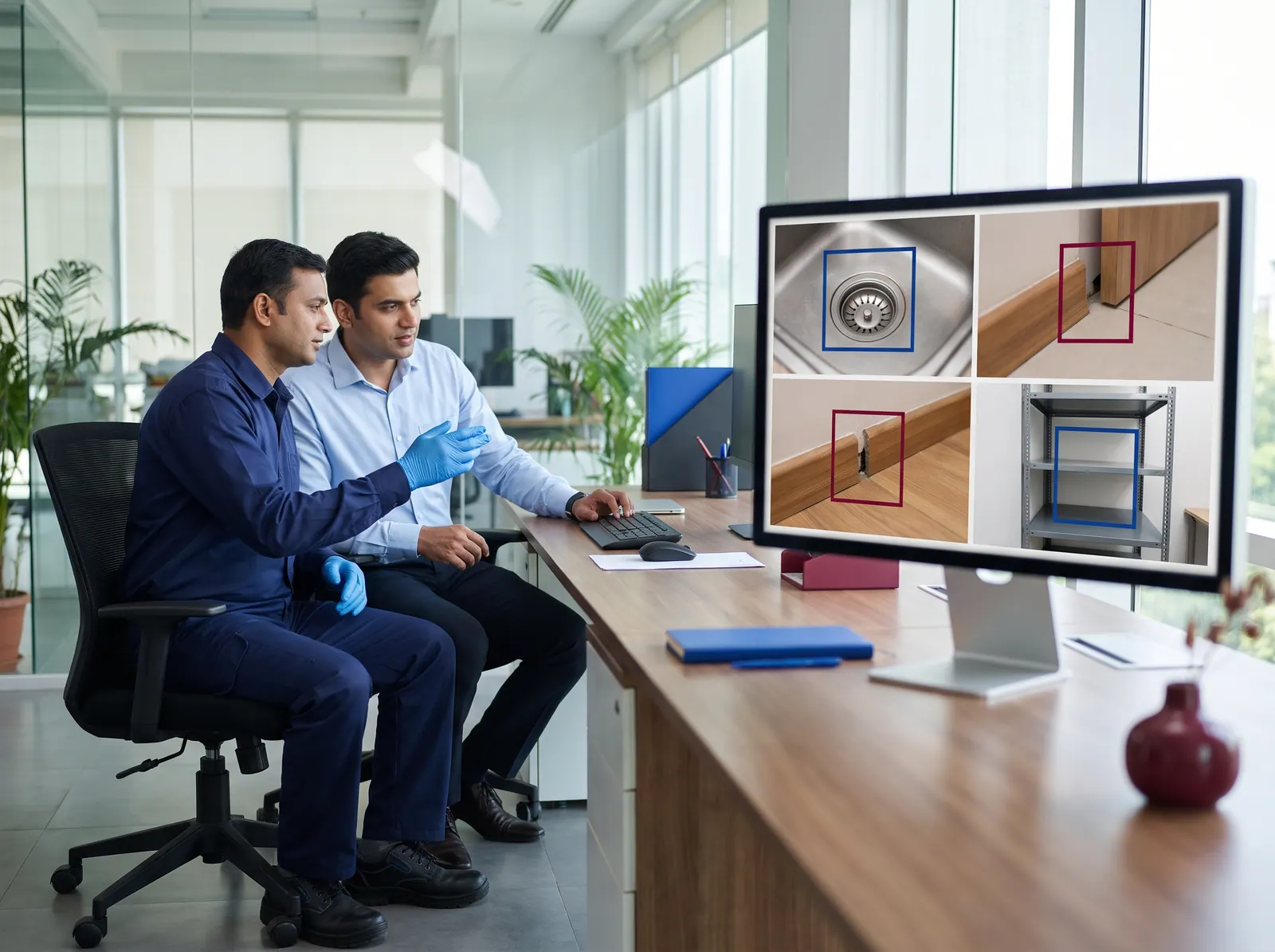
Supervisor and colleague reviewing inspection photographs on a monitor
Illustrative image

People first

Artificial Intelligence Supports Our Experts. It Does Not Replace Them.

AI can help professionals review images, identify possible pest activity and organise inspection findings. But effective pest management still requires human judgement, on-site verification, suitable treatment choices and careful follow-up. At Efficacy Pest Control, technology works alongside trained pest management professionals.

  • AI can be wrong. Its confidence figures are its own estimate, not a measured accuracy rate.
  • The same image can give a different result if it is analysed again. That is one reason videos are reviewed more than once.
  • Only video gets the repeated multi-pass check. Photos get one AI identification review.
  • Counts are cautious estimates, not a full population count.
  • PestVision does not predict future pest activity. Trends describe what past inspections found.
  • It does not watch your property around the clock. It analyses photos and videos captured during inspections.
  • Treatment decisions are made by our trained technicians, never by the AI.

Transparency

What PestVision does today — and what is still coming

We would rather be clear than impressive. This list separates features in use today from those still being built.

Photo and video upload Inspection photos and videos are uploaded to each visit’s record from a phone, tablet or computer. iPhone HEIC photos and very large videos (over about 250 MB) are not yet supported. In use, still improving
AI pest identification 11 pest groups, identified from photos and video frames by a Google Gemini vision model. Available now
Signs and site conditions Droppings, gnaw marks, mud tubes and similar signs, plus gaps, moisture and hygiene issues. Available now
Multi-pass video check Video findings count only when repeated reviews agree; the rest are flagged as possible sightings. Available now
Close-up look at small insects Small insects are enlarged for a second look. Tested on a small set of examples so far. In use, still improving
Marked-up evidence and timestamps Approximate labelled circles on report images, and the time each video finding appears. In use, still improving
Risk score and assessment A 0–100 score calculated by fixed rules from the stored findings, including the AI’s own severity assessment, with a breakdown. The rules have not yet been checked against field outcomes. Available now
Corrective-action plan Actions with priority, responsible department and target timeframe. Tracking each action’s status and due date is built and being brought into routine use. In use, still improving
PDF inspection report A versioned report that brings the findings, evidence, risk and actions together. Available now
Trends across visits Whether activity and risk at a property are rising, falling or stable across past inspections. Available now
Area-by-area findings New: evidence can be tagged to named areas and the report can group findings by area. Not yet tracked from visit to visit; a fixed room and floor list for hotels is planned. In use, still improving
Recording review decisions Uncertain findings are flagged today; confirming or rejecting each one inside the app is being built. Planned
Client portal Clients sign in to see their own sites, inspections and reports. Being introduced
Report delivery by WhatsApp and email Built into the software; not yet switched on for clients. Being introduced
Android and iOS apps Native technician apps are in testing and are not yet in the app stores. Being introduced
Multi-branch management Separate data and manager views for each branch or region. Planned
Hotspot maps, visit comparisons and forecasting Ideas on our roadmap. None of these exist yet. Planned

Our vision

Developed with a Vision for Smarter Pest Management Across India

Beginning with our operations in Goa and our expansion into the Hyderabad region, our vision is to create a connected pest management network supported by PestVision AI. As Efficacy grows, our goal is to help teams across more Indian cities use consistent digital inspection methods, better documentation and coordinated follow-up systems.

Goa — operating

Our established branch in Chimbel, serving the towns listed on our Goa branch page.

Branch details →

Hyderabad region — newly opened

Our new office in Shamshabad, Rangareddy. Services and localities are being confirmed area by area.

Branch details →

More Indian cities — future plans, not operating

We will add a city only when a licensed, staffed branch is ready to serve it. No other branches are operating today.

PestVision network: operating offices and future plans A central PestVision platform connects the Goa branch (operating) and the Hyderabad-region branch in Shamshabad (newly opened). Dashed points represent possible future branches that are not operating. PestVision platform Goa operating Hyderabad region newly opened (Shamshabad) Operating Newly opened Future plans — not operating
Schematic, not to scale. Solid points are operating offices; dashed points are future plans and are not operating.

What “AI-assisted” means at Efficacy

When we say a pest inspection is AI-assisted, we mean something specific and modest. A trained technician still visits your property, opens the cupboards, checks the drains, looks behind equipment and talks to the people who work there. What changes is what happens to the evidence. Instead of relying on memory and a handwritten note, the technician records photos and videos, and our own platform, PestVision AI, helps analyse them.

The AI looks for pests, for the signs pests leave behind, and for building and hygiene conditions that let pests in or keep them fed. It suggests what it sees. Our team decides what it means and what to do about it. The AI does not choose treatments, apply products or sign off a report.

This matters most where many people share responsibility for one building, such as hotels and restaurants and commercial kitchens: a photo-backed finding is easier to act on than a verbal summary.

It also helps to be clear about what PestVision is not. It is not a camera system that watches your premises around the clock, and it does not use sensors or smart traps. It works on photos and videos captured during an inspection visit. It does not forecast future infestations: its trend reports describe what past inspections found.

Efficacy, PestVision AI and AI SHIELD™: how they fit together

  • Efficacy Pest Control is the pest management company. Our technicians carry out the inspections and treatments, with an established branch in Goa and a newly opened office in Shamshabad for the Hyderabad region.
  • PestVision AI is the digital platform we built for our own inspections. It stores each visit’s evidence, runs the AI analysis, calculates a risk score, builds a corrective-action plan and produces the inspection report.
  • AI SHIELD™ is the name we use for pest protection supported by this AI-assisted inspection approach. It is a brand name, not a separate product or piece of software.

What happens to the photos and videos we take

Inspection photos and videos are stored in that visit’s inspection record, which is available to our team and, as our client portal is introduced, to you as the client. They are never used on this website: every image on this page is an illustration or a placeholder.

To analyse the evidence, selected photos and video frames are sent to Google’s Gemini service, which processes them for us. The system does not blur faces automatically, so please tell us if there are areas or people that should not be filmed, and we will work around them. Our privacy policy explains how we handle personal information.

Where PestVision is used today

PestVision has been in production since September 2026 and is in early use, so far on a small number of our inspections. Our established Goa team is the starting point. Our Shamshabad office for the Hyderabad region is newly opened, and its services and localities are being confirmed area by area, so please check with us before booking there.

We do not sell PestVision as separate software, and we do not operate in other Indian cities yet. If you are elsewhere in India, you can still use the form on this page to register interest. We will tell you honestly whether and when we can help.

Frequently Asked Questions about PestVision AI

QWhat is AI-powered pest control?

At Efficacy it means a trained technician inspects your property as usual, and our PestVision AI platform helps analyse the photos and videos taken during that inspection. The AI suggests which pests, signs of pests and risky conditions appear in the evidence. Our team checks those findings and decides on treatment. It is not a robot that treats pests, and it is not round-the-clock camera surveillance.

QHow does PestVision AI identify possible pests?

Selected photos and video frames are sent to a Google Gemini vision model. It must answer in a fixed format: which of 11 pest groups it can see, how many are visible at once, roughly where they are in the image, and how confident it is. It is instructed to report only what it can see, and it can answer “unknown” rather than name a pest. Very small insects get an enlarged second look (tested on a small set of examples so far). Answers that do not fit the format are rejected, and findings that need a person’s judgement are flagged for review.

QCan AI analyse pest inspection videos?

Yes. Each video is sampled from start to finish, about three frames per second, and up to 96 frames that show something new are selected for review. Every selected frame is marked clear, findings or unusable, and each finding keeps its time in the video. The review is then repeated several times (five times on our production system), and a pest is marked confirmed only when the repeated checks or the neighbouring frame agree. Indirect signs and site conditions in a video are assessed from a smaller sample of frames.

QDoes AI replace a professional technician?

No. The AI only sees what the camera captured, and it can be wrong. A technician is needed to inspect places a camera cannot reach, to judge what the evidence means, to choose a suitable treatment and to follow up. PestVision helps our team document and review evidence; the decisions stay with trained people.

QCan the system detect cockroaches and rodents?

Both are among the pest groups PestVision recognises. It can identify cockroaches visible in photos and video, and rats or mice that appear on camera. It also looks for signs such as droppings and gnaw marks. Rodents are often active when no one is filming, so for rodents the signs and the technician’s inspection usually matter more than a sighting on video.

QHow are inspection reports prepared?

After the visit, the technician’s photos and videos are analysed, and our team checks what the AI flagged against what was seen on site (recording each review decision inside the app is still being built). PestVision generates a PDF report with the site details, the findings (with confirmed and possible sightings kept separate), evidence images marked with labelled circles, video timestamps, a 0–100 risk score with its breakdown (calculated by fixed rules that have not yet been checked against field outcomes), recommendations and a corrective-action plan showing priority, responsible department and target timeframe. Where they were recorded, treatments, trap checks and signatures are included too, along with a trend summary when a trend analysis has been run for the property.

QCan AI detect pests that are not visible?

No. PestVision can only analyse what is in a photo or video. It can spot indirect signs, such as droppings, egg cases, shed skins or termite mud tubes, that point to pests out of sight. But activity inside walls, under floors or inside woodwork still needs a technician’s physical inspection and judgement.

QAre AI findings always correct?

No. AI can miss a pest or mistake one insect for another, and the same footage can give a different result if it is analysed again. The confidence figure next to each finding is the model’s own estimate, not a measured accuracy rate, and we do not publish accuracy percentages because we have not measured them on a proper test set. That is why video findings are checked more than once, unconfirmed sightings are flagged rather than counted, and our team reviews the results before acting on them.

QCan hotels receive room-wise inspection reports?

Partly, and this is new. A technician can split a visit into named areas, such as room numbers, kitchen, laundry or stores, tag evidence to each one, and the report groups findings area by area. A fixed list of rooms and floors that carries over from one visit to the next is not available yet, so area names are entered on each visit. Trends are tracked for the property as a whole.

QIs PestVision available throughout India?

No. PestVision is used by Efficacy’s own team, and it is not sold as separate software. We operate in Goa, and we have newly opened an office in Shamshabad for the Hyderabad region, where services and localities are still being confirmed. We will only list another city once a branch there is open. If you are elsewhere, you can register interest using the form on this page.

QHow can a customer request an inspection?

Use the request form on this page. Choose Goa, the Hyderabad region or another city, then tell us your property type, city and locality, and the problem you are seeing. You can also call or message the branch contacts listed beside the form. In the Goa towns we serve, we will arrange an inspection. For the Hyderabad region we will first confirm that we cover your area. From other cities, your message is recorded as an expansion enquiry, and we will reply honestly about whether we can help.

QWhat is AI SHIELD™?

AI SHIELD™ is the name we use for pest protection supported by our AI-assisted inspection approach. It is a brand name for how we work, not a separate product, device or piece of software.

QWho sees the photos and videos from my inspection?

Your inspection evidence stays in your inspection record and is never published on this website. The section above on what happens to the photos and videos we take explains who can see it and how it is processed.

Request

Request an AI-Assisted Inspection

In Goa and the Hyderabad region, tell us about the property and the problem and we will arrange an inspection. If you are in another city, you can register interest — we will be honest about when we can help.

Where is the property? *

We only use these details to respond to your enquiry. We never share them with advertisers.